
QR Code Authentication: How It Works, Benefits, and Best Practices
September 27, 2025 by Max Yakub
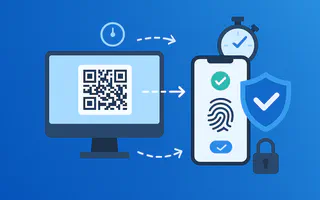
Quick Response (QR) codes are machine-readable barcodes storing data in two-dimensional patterns of black squares on white backgrounds. Created in 1994 by Denso Wave for tracking automotive components, QR codes have evolved into versatile tools for contactless transactions, marketing campaigns, and digital authentication. The technology has experienced explosive growth, with the QR code market reaching $2.4 billion and expanding at 18% annually as businesses adopt touchless solutions.
QR codes themselves are simply data containers with no built-in security features. The QR code format provides visual encoding making information unreadable to humans but scannable by devices. This represents security through obscurity rather than cryptographic protection. A QR code displaying session credentials functions identically to displaying those credentials as plain text. True security comes from the authentication system architecture utilizing the QR code, not from the code’s visual format.
Understanding the fundamental difference between dynamic and static QR implementations is essential. Dynamic QR codes refresh continuously, displaying new unique identifiers every 60-180 seconds that expire immediately after use. Static QR codes show identical content without expiration, remaining valid for hours or permanently.
| Characteristic | Dynamic QR (Secure) | Static QR (Vulnerable) |
|---|---|---|
| Refresh Rate | New code every 60-180 seconds | No refresh, permanent |
| Validity Period | 60-180 seconds maximum | Unlimited duration |
| Identifier Type | Unique cryptographic token per session | Identical token repeated |
| Usage Limit | Single authentication only | Reusable indefinitely |
| Capture Risk | Limited to seconds | Permanent exposure |
| Authentication Suitability | Recommended for enterprise | Unsuitable, dangerous |
What Is QR Code Authentication?
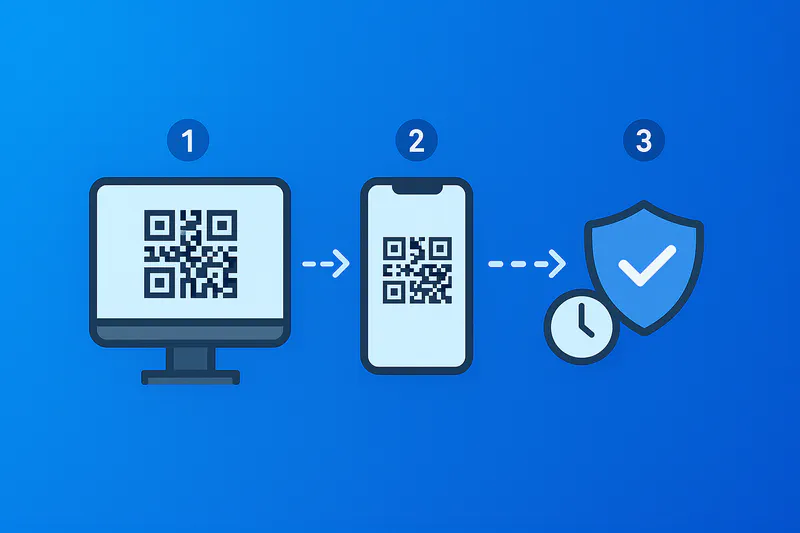
QR code authentication eliminates traditional password entry by enabling users to authenticate through scanning time-limited codes with trusted devices. The authentication process involves displaying unique codes on target systems (desktops, kiosks, web applications) that users scan with mobile devices running authenticator applications. After scanning, users approve authentication requests through biometric verification or PIN entry on their mobile devices, establishing authenticated sessions on the systems displaying the codes.
The fundamental mechanism relies on cryptographic challenge-response protocols rather than shared secrets. When systems generate authentication QR codes, they create unique session challenges tied to specific authentication attempts. These challenges encode as scannable patterns containing session references rather than actual credentials.
App-based authentication flow: Desktop applications request authentication sessions from identity servers. Servers generate unique session identifiers with strict expiration windows (60-180 seconds) and render corresponding QR codes on screens. Users launch trusted authenticator apps like WWPass Key App and scan displayed codes. Apps connect to authentication servers using secure channels, retrieve challenge details, display verification prompts, collect biometric or PIN confirmation, sign authentication challenges with device-bound cryptographic keys, and transmit signed responses. Servers validate signatures, verify challenges remain unexpired and unused, and upgrade browser sessions to authenticated status.
Cross-device passkey authentication: Modern FIDO2/WebAuthn standards enable passwordless authentication using public-key cryptography. Users authenticate on computers by scanning QR codes with phones holding passkeys. The QR code establishes secure connections between devices, often using Bluetooth proximity verification. WWPass implements this approach with distributed zero-knowledge architecture, ensuring authentication data remains protected through fragmentation across multiple secure locations.
Design principles: Effective QR systems encode only opaque session references in codes, never personally identifiable information or reusable credentials. Sessions bind to specific browser contexts through fingerprinting and attestation. Authentication servers enforce single-use semantics, invalidating codes immediately after successful authentication or expiration.
What Are the Benefits of Using QR Codes for Authentication?
Organizations implementing dynamic QR authentication realize multiple advantages:
Eliminates password management: Users never type, remember, or reset passwords. Help desk teams report 50-70% decreases in password-related support tickets.
Universal device compatibility: Works on any device with camera without specialized hardware, reducing capital expenditure for authentication infrastructure.
Prevents credential phishing: Dynamic QR with origin binding resists phishing by design. Authenticator apps validate destination sites, displaying verified names to users. WWPass authentication generates fresh codes every 60-180 seconds while validating origins through distributed architecture.
Optimizes shared workstation access: Frontline employees sharing computers authenticate rapidly using personal phones without security risks from typed passwords on shared keyboards.
Accelerates authentication: Typical completion in 3-5 seconds versus 15-30 seconds for username/password entry, measurably improving productivity.
Eliminates replay attacks: Dynamic codes with automatic expiration and single-use enforcement prevent replay. Captured codes expire within 60-180 seconds and work only once.
Avoids telephony vulnerabilities: Operates independently from phone carriers, eliminating SMS-based attack vectors including SIM swapping and SS7 exploits.
Supports regulatory compliance: Dynamic QR with multi-factor verification meets NIST SP 800-63B AAL2 standards. Device-bound implementations satisfy AAL3 requirements.
Security Posture: Strengths, Risks, and Mitigations
Are QR Authentication Systems Secure?
Properly implemented dynamic QR authentication provides robust security equivalent to hardware security keys. Security rests on cryptographic challenge-response protocols, ephemeral session identifiers, and device-bound credential storage. Static QR implementations fundamentally lack security regardless of surrounding controls.
| Security Threat | Dynamic QR Protection | Static QR Exposure |
|---|---|---|
| Code Capture | Limited value (60-180 sec window) | Persistent credential exposure |
| Replay Attempts | Single-use enforcement | Unlimited reuse |
| Phishing | Origin validation blocks attacks | No origin verification |
| Session Hijacking | Browser context binding | No session association |
Key security mechanisms:
Cryptographic origin binding: Systems tie codes to specific websites through cryptographic binding. Authenticator apps validate destinations before enabling approval. Signed responses bind to originating domains through relying party identifiers, making responses worthless for different domains.
Ephemeral session management: Servers generate unique, unpredictable session identifiers, storing associated state server-side. Codes contain only opaque references. Sessions expire automatically after 60-180 seconds. WWPass authentication generates cryptographically random identifiers with automatic expiration every 90-120 seconds.
Single-use enforcement: Systems track consumed codes, rejecting subsequent authentication attempts. Combined with short expiration, this makes code capture worthless.
Device attestation: Mobile apps prove legitimacy using cryptographic keys in device hardware security modules (TPMs, Secure Enclaves), preventing modified apps or emulators from bypassing controls.
Distributed architecture: WWPass employs zero-knowledge architecture distributing encrypted fragments across separated servers. Authentication operates without reconstituting complete identity data.
QRLJacking Attack Prevention
Primary threat is social engineering where attackers trick users into scanning malicious codes authorizing attackers’ sessions. Prevention requires:
- Authenticator apps displaying clear, prominent origin information before approval
- Proximity verification through Bluetooth preventing remote attacks
- Education messaging: “Only scan codes displayed on screens you control”
- Interface design making verification information impossible to miss
Compliance and Standards Alignment
NIST SP 800-63B: Dynamic QR with verified multi-factor processes satisfies AAL2 requirements. Device-bound implementations using non-exportable cryptographic keys satisfy AAL3. Organizations configure systems with 60-180 second expiration, origin binding enforcement, and device attestation.
FIDO2/WebAuthn: Dynamic QR initiates FIDO2 authentication ceremonies where mobile devices serve as authenticators. WebAuthn protocols define credential creation, verification, and phishing prevention through origin validation.
PCI DSS, GDPR, HIPAA: Dynamic QR with multi-factor verification satisfies payment security (PCI DSS 4.0), privacy (GDPR Article 32), and healthcare (HIPAA Security Rule) requirements when properly implemented with short sessions preventing replay attacks.
Business and Consumer Use Cases
How Can QR Codes Improve User Experience?
Healthcare facilities: Clinicians authenticate repeatedly on various computers throughout shifts. QR enables scan-and-access workflow improving efficiency while meeting HIPAA requirements.
Manufacturing operations: Factory workers operate where password entry is impractical. QR codes on industrial terminals provide intuitive authentication for inventory management and quality control systems.
Financial services: Banks replace SMS one-time passwords with dynamic QR combined with passkeys, providing cryptographic security meeting strong customer authentication requirements while eliminating SIM-swap vulnerabilities.
Education platforms: Students and educators access learning management systems across devices. WWPass SSO enables passwordless access across application portfolios supporting SAML and OpenID Connect.
Hospitality venues: Hotels and conference venues use QR for self-service kiosks where guests access personalized experiences without typing credentials on shared terminals.
Virtual desktop access: Remote employees access corporate VDI by scanning codes in connection brokers, working identically across Citrix, VMware, and Azure Virtual Desktop platforms.
Privileged access: System administrators use QR for step-up verification when accessing sensitive infrastructure, balancing security requirements with operational efficiency.
Implementation Patterns
Dynamic QR Generation and Management
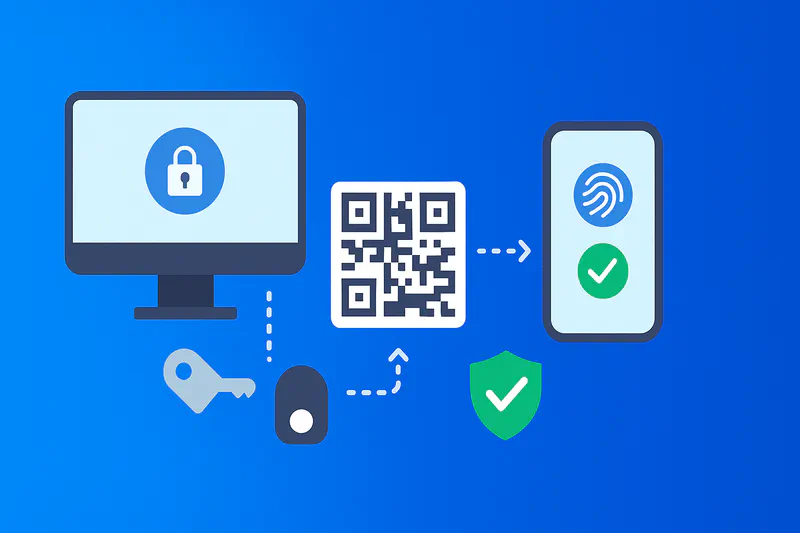
Server-side architecture: Servers generate cryptographically random session identifiers (minimum 128-bit entropy), create session objects containing authentication context (requesting origin, browser fingerprint, creation timestamp), associate objects with unique identifiers, and render identifiers as QR codes. Codes contain only references, not session data.
TTL management: Set TTL values between 60-180 seconds when creating sessions, automatically expire sessions after TTL elapses, refuse authentication attempts referencing expired sessions. Organizations typically configure 90-120 second windows balancing security against usability.
Code refresh mechanisms: Client applications automatically refresh codes before expiration, typically requesting new codes when current codes reach 75% of TTL. Refresh implementations use polling, server-sent events, or WebSocket connections.
Mobile authenticator requirements: Establish mutually authenticated TLS connections with certificate pinning, retrieve session details, render approval prompts with verified origin information, require explicit user verification through biometric or PIN, generate cryptographic signatures binding responses to origins, transmit signed responses over secure channels.
Server validation: Verify cryptographic signatures, confirm sessions exist and remain unexpired, ensure single-use, validate origin bindings, check device attestations, upgrade browser sessions only after all validations succeed. WWPass authentication systems exemplify these patterns with server-generated dynamic codes and distributed validation.
Cross-Device Passkey Integration
FIDO2 ceremony initiation: Applications initiate WebAuthn ceremonies generating challenges, specifying relying party identifiers, and setting timeouts. Clients display QR codes encoding challenge information.
Hybrid transport mechanism: Modern implementations combine QR codes with Bluetooth Low Energy. QR establishes initial connections while Bluetooth confirms proximity, preventing remote attacks.
Passkey assertion: Mobile devices retrieve passkeys scoped to requesting domains, prompt for biometric/PIN verification, generate WebAuthn assertions signing server challenges with private keys, include attestation data, and transmit assertions through secure channels.
Backend verification: Servers verify relying party identifiers match expected domains, validate challenge signatures using registered public keys, confirm user verification occurred, check attestation trustworthiness, and grant authentication upon successful validation.
UX Best Practices
Prominent scanning instructions: Display clear directions: “Scan with [Company] Authenticator” with icons showing phone scanning QR code.
Live countdown indicators: Show remaining validity time through progress bars, numeric timers, or animated borders communicating appropriate urgency.
Post-authentication confirmation: Display confirmation on both screens: “Authenticated as [User] from [Device]” on computer, “Signed in to [Website] on [Browser]” on phone.
Verification context display: Mobile apps must show verified website name, full URL, approximate location, device type, browser, and timestamp prominently before approval buttons.
Fallback options: Provide alternatives: “Can’t scan? Sign in with security key” or “Use passkey on this device” for users without phones or accessibility needs.
Educational nudges: Display brief security tips: “Never scan codes from emails or messages” or “Only scan codes on screens you control.”
Error handling clarity: Explain failures clearly: “Code expired - refresh and scan again” avoiding technical jargon.
Buyer’s Checklist

Organizations evaluating QR authentication solutions should assess:
Dynamic Code Generation:
- Automatic refresh every 60-180 seconds
- Cryptographically random session identifiers (minimum 128-bit entropy)
- Server-side session management separating codes from state
- Configurable time-to-live parameters
- Single-use enforcement preventing reuse
Cryptographic Security:
- Origin binding tying responses to specific domains
- Device attestation verifying authenticator legitimacy
- Encrypted communications with certificate pinning
- Replay protection through nonce validation
- Challenge-response protocols using asymmetric cryptography
Standards Compliance:
- FIDO2/WebAuthn support for passkey-based authentication
- NIST SP 800-63B alignment documenting AAL2 or AAL3 compliance
- SAML 2.0 and OpenID Connect protocol support
- PCI DSS validation for payment industry
- GDPR compliance documentation
Enterprise Integration:
- SDK availability (web JavaScript, iOS Swift, Android Kotlin)
- API documentation covering flows and error handling
- Identity provider compatibility (Microsoft Entra ID, Okta, Auth0)
- Directory service integration (Active Directory, LDAP)
- Multi-region deployment supporting data residency
Operational Capabilities:
- Comprehensive audit logging (events, device info, location)
- Real-time monitoring dashboards (success rates, failure patterns)
- Incident response tools (session revocation, device blocking, alerts)
- User self-service portals (device management, recovery)
- Administrative controls (policy configuration, provisioning, reporting)
Security Certifications:
- SOC 2 Type II attestation reports
- ISO 27001 information security certification
- Third-party penetration testing reports
- Vulnerability disclosure program documentation
- Incident response procedures and SLA commitments
Vendor Evaluation:
- Customer references from similar industry and size
- Financial stability indicators
- Transparent pricing without hidden fees
- Proof-of-concept trial programs
- Technical support quality and escalation procedures
- Contract terms allowing reasonable exit and data portability
Case Snapshots
Manufacturing Enterprise: 12,000 employees across 23 countries deployed dynamic QR replacing password-based SAP access via WWPass SSO. Results: 71% reduction in authentication time, 64% decrease in help desk tickets saving $340,000 annually, 94% user satisfaction, zero credential-related incidents in 18 months.
Hospital Network: 8 hospitals implemented dynamic QR for clinician VDI access. Results: 88% faster login time (5 vs 42 seconds), 76% reduction in password lockouts, 89% clinician satisfaction, eliminated credential sharing.
E-commerce Platform: 15 million monthly users deployed QR as alternative to password login. Results: 41% increase in mobile authentication adoption, 29% decrease in account takeover fraud, 8% checkout conversion improvement, 92% positive feedback.
Government Agency: Federal agency replaced legacy authentication with dynamic QR meeting FedRAMP and NIST 800-63-3. Results: Met AAL2 requirements, eliminated SMS authentication reducing costs $180,000 annually, 67% reduction in support calls, passed federal audit without findings.
Frequently Asked Questions
Is QR Code Authentication Secure?
Yes, when properly implemented with dynamic codes generating every 60-180 seconds, single-use enforcement, origin binding, and device attestation. The QR code triggers cryptographic authentication protocols. Mobile authenticators verify website identities before prompting approval, sign challenges cryptographically, and transmit responses over encrypted channels. This architecture resists phishing because responses only validate for legitimate websites, and captured codes expire within seconds with no reuse value.
Static QR codes create vulnerabilities by displaying unchanging credentials remaining valid indefinitely. Organizations must implement dynamic codes with appropriate security controls.
QR Codes vs. SMS Codes?
Dynamic QR authentication with passkeys provides significantly better security than SMS one-time passwords. SMS traverses carrier infrastructure vulnerable to SIM swapping, SS7 exploits, and message forwarding attacks. Documented incidents show attackers redirecting SMS codes for unauthorized access.
QR authentication operates independently from telephony using cryptographic protocols immune to carrier attacks. Authentication relies on device-bound private keys and signed challenges rather than transmitted secrets. Industry consensus, reflected in NIST guidance and platform recommendations, favors cryptographic methods over SMS approaches.
What Standards Should We Follow?
Implement dynamic QR aligned with NIST SP 800-63B Digital Identity Guidelines and FIDO2/WebAuthn specifications. NIST defines authenticator assurance levels - AAL2 requires phishing-resistant multi-factor authentication while AAL3 additionally requires hardware-bound non-exportable keys. WebAuthn provides standard protocols for cryptographic authentication using public-key credentials, origin validation, and user verification.
Standards ensure interoperability across vendors, provide defendable security posture for audits, and position organizations for authentication modernization without proprietary lock-in.
Does This Work Offline?
No. QR authentication requires network connectivity for mobile authenticators to communicate with servers, retrieve challenges, and transmit signed responses. Servers must validate signatures, check expiration, enforce single-use semantics, and upgrade sessions - all requiring real-time interaction.
Applications can cache interfaces gracefully during intermittent connectivity, but core authentication always requires connectivity. Organizations needing offline authentication should implement alternative methods (platform passkeys, smart cards, local biometric authentication).
Can We Use It for Step-Up MFA?
Yes. Dynamic QR works excellently for step-up verification when users attempt high-risk actions. Applications trigger QR displays for sensitive operations (large transfers, configuration changes, data access), users scan and approve via biometric, servers validate signed responses and grant elevated privileges for limited time windows. This provides strong cryptographic verification for sensitive actions while maintaining passwordless convenience.
Do QR Codes Collect My Personal Information and Data?
QR codes typically contain only opaque session identifiers, not personal information. However, authentication systems collect various data: device characteristics (model, OS, browser), network information (IP address, approximate location), biometric verification outcomes (success/failure, not actual biometric data), and authentication event metadata (timestamps, target applications).
Review authentication vendor privacy policies confirming data minimization principles, consent mechanisms, GDPR compliance, and data retention limits. WWPass architecture implements zero-knowledge design where servers never access user credentials, minimizing privacy exposure while maintaining security.
About WWPass QR Authentication
WWPass provides enterprise dynamic QR authentication with distributed zero-knowledge architecture. The platform generates cryptographically secure codes refreshing every 60-180 seconds, implements automatic expiration and single-use enforcement, and provides passwordless SSO across applications. Organizations deploy WWPass SSO for secure authentication meeting compliance requirements. Learn more at wwpass.com.